Orders with line-item location – we have brought back the entry of a location at sales order line level.
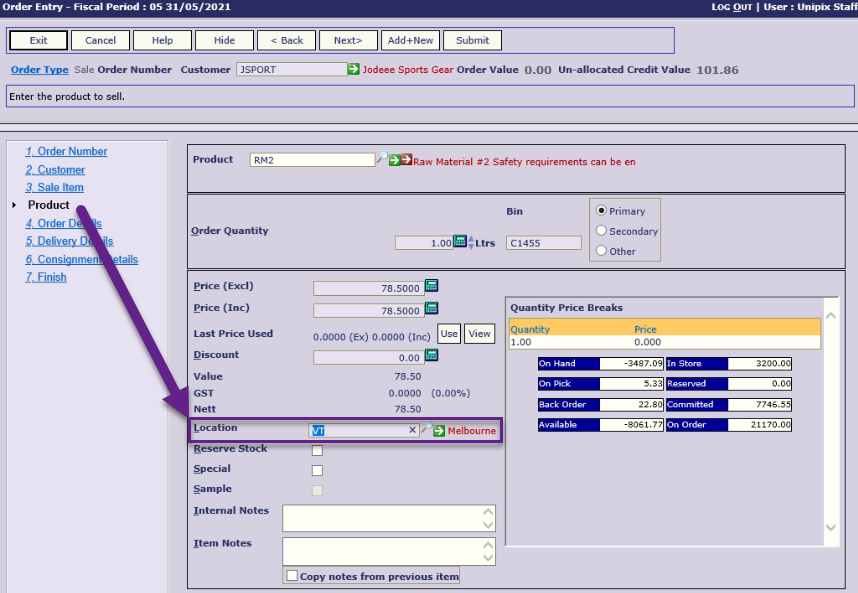
An example scenario of how you might use this is where you are entering a sales order for a NSW customer and the customer orders an item that you keep in Victoria (VIC). In this situation you can enter the order location as ‘NSW’ and add the order items as usual, then for the item located in VIC, enter that item on the order, but enter the line location as ‘VIC’. On saving the order, 2 orders are created – one to be picked in NSW and one to be picked in VIC.
Note: This feature is not available when ‘Payments in Sales Order Entry’ is switched on due to the complications of allocating payment over the multiple orders created.
Pickup Advice – Document Delivery functionality has been added to the Pickup Advice document type. To start using this, go to Stationery Messages and under step 2 ‘Emails’, set up subject line and email body for the ‘Pickup Advice’ document. Then go to Customer Details > Contacts and add the Pickup Advice document to the contact who is to receive it via the email.
Carrier charge each despatch – in a previous software release, we added a new charge method for orders where a charge is added based on carrier rates. To complement that, in this release we have added an additional option that lets you add the charge to the first despatch only or to each subsequent part despatch you make.
Stock Receipts Upload– a new function to upload Stock Receipts (MSR transactions) from a spreadsheet has been added to the Inventory > Processing menu.
Stock Issues Upload – a new function to upload Stock Issues (MSI transactions) from a spreadsheet has been added to the Inventory > Processing.
Supplier Payment Reference – if your supplier has a specific ‘payment reference’ they would like you to quote on all payments, you can now enter that payment reference on the Supplier Details. It is used as a default reference when entering Manual Payments or creating a Payment Run. The Payment Reference is included in the Bank Transfer export for upload to banking and should consequently end up appearing on your supplier’s bank statement.
Bank Reconciliation – the bank reconciliation report now has transactions in ‘current’ and ‘next’ month buckets to assist with the reconciliation between the Bank and General Ledger. The ‘Bank Transactions Cleared’ and ‘Bank Transactions Cleared History’ reports have been retired and replaced with a new ‘Bank Items Cleared’ report. (The original reports are still available on the menu if you need to reprint something).
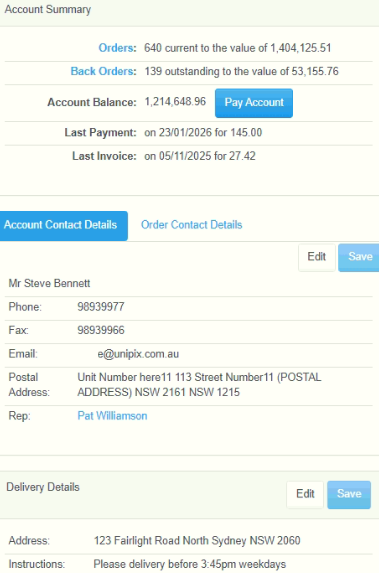
e-Commerce Account Details – the menu option has been renamed to ‘Account Summary’, credit terms have been added (subject to user access) and the information display has been reformatted.
e-Commerce User Details – there is a new setting in the e-commerce options that lets you show/hide the credit and terms details in the B2B portal ‘Account Summary’ page.
e-Commerce delivery – in the B2B portal the carrier delivery method now defaults from the customer’s default carrier and some irrelevant consignment fields have been removed from the order summary.
e-Commerce Payment Options – you can now list what tender types you want available for payment selection in the e-Commerce portal via the Ecommerce Options function.
e-Commerce payment icons – some improvements have been made to what payment icons are shown when a payment method is selected.
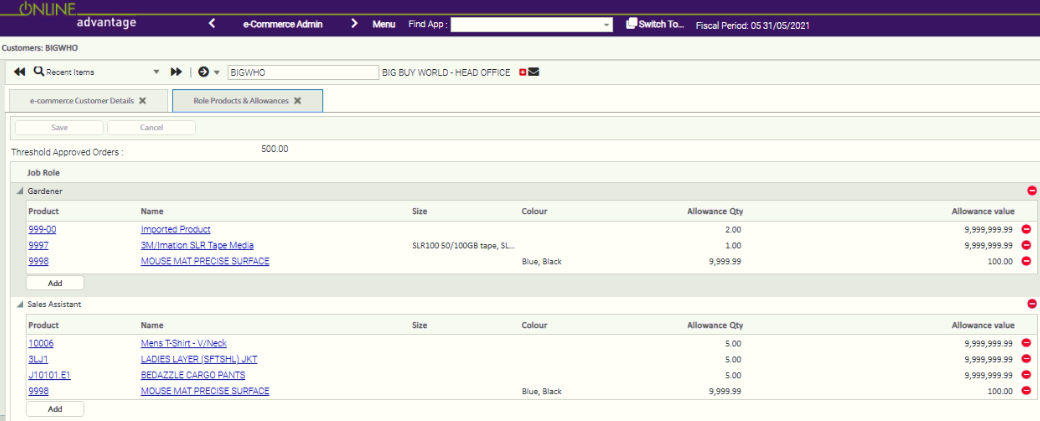
e-Commerce Employee Platform – we’ve introduced the selection of a ‘job role’ for employees registering in their B2E portal. The list of appropriate job roles can be made per customer so that the employees can choose from a targeted list. Each job role can then be used to present an appropriate set of items the employee can buy in the B2E portal. Also purchase allowances can be set per job role using either quantity or value limits for a nominated allowance period.
For example, if your customer was a school, the job roles might be Principal, Deputy Principal, Head Teacher, Teacher, Support Staff. The employee in the role of ‘Head Teacher’ may be able to purchase 1000 exercise books per year whereas the employee with the role of ‘Teacher’ may be limited to 30.