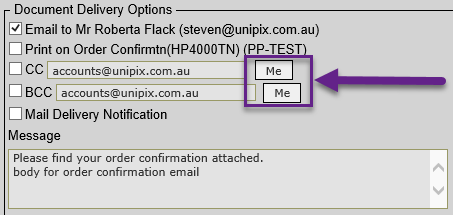
Document Delivery – for users sending emails via the Document Delivery override form we’ve added an option to ‘quick fill’ the ‘CC’ and/or ‘BCC’ prompts with your users’ email address. This has been added so that you can send a copy of the email to yourself easily without typing it in yourself.
Adjust Picking Docket Quantities – a ‘print despatch’ docket option has been added to the end of this function. Consignment notes and delivery labels are also produced if required.
Carrier Manifest – delivery instructions are now printing on the carrier manifest.
Upload Product Unit Weight– this upload has been changed to create new price items. Note that the weight is only stored on default price list.
Manufacturing Specification Upload – we’ve added a new function to upload Manufacturing Specifications to the Manufacturing > Setup menu that allows specs to be added from data in an externally created file.
Replenishment Ordering – when building purchase orders from replenishment data in Purchase Order Entry, there is a new option you can now choose that will match the replenishment items selected to those appearing on the last run of the replenishment report.
For example, suppose you have a sweets supplier who supplies you with soft candy and hard candy. The supplier asks you to send separate purchase orders for both types of sweets. The EOD replenishment run has determined that both types of candy need to be resupplied. You can run the replenishment report with a filter of ‘hard candy’ and use Purchase Order Entry to create a purchase order ‘matching the items on the PO with the criteria just run on the replenishment report’. Then run the replenishment report for ‘soft candy’ and create another purchase order matching the new report criteria.
Stock Transaction Reasons – a new ‘update usage’ flag is now added to the Stock Reasons so the usage flag can be defaulted in Stock Issue transaction input.
Other Charges – explanatory notes have been added to other charges. These notes are automatically added to the line-item notes on the sales order when the charge is added. Reports listing other charge details have been updated.
Also new options for applying percentage charges to the total value of the order have been added. (Previously a percentage charge was only calculated on the value of the charges ‘apply-to’ product.)
e-Commerce Updates
Promotions switch – products that are on sale, flagged as ‘clearance items’, or have a discounted price show promotional ‘badging’ in the e-commerce catalogue. We have added a switch so this feature can be enabled/disabled as required. This can be found in the E-commerce Options function.
B2C – the B2C checkout now has input for both a billing address and delivery address.
Contacts – improved the entry of new contacts and filling of fields when selecting contacts in B2B checkout.
Pickup – you can now set up ‘pick up locations’ for the B2C/B2B checkout. To set this up, you will need a carrier tagged as ‘pickup’ and that carrier must be added this to the available delivery list in E-commerce Options. Then add your available pickup locations (i.e. stores, trade counters, warehouses) to E-commerce Options. Use Locations maintenance to update location addresses if necessary.
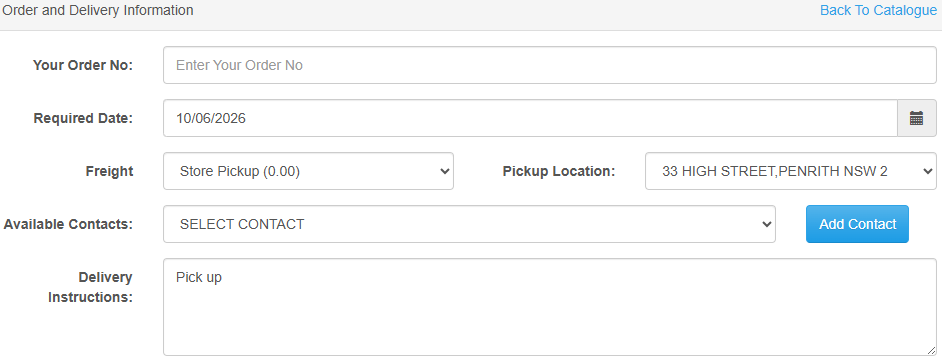
Review your internal order processing procedure to manage pickup orders. The picking docket has been updated to include the pickup location in the delivery instructions.
On emailing the invoice, the email body can be configured to indicate to the customer that their ‘order is ready for collection’. Email configuration is done in Standard Stationery Messages in the email section – look for ‘Invoice Pickup’.
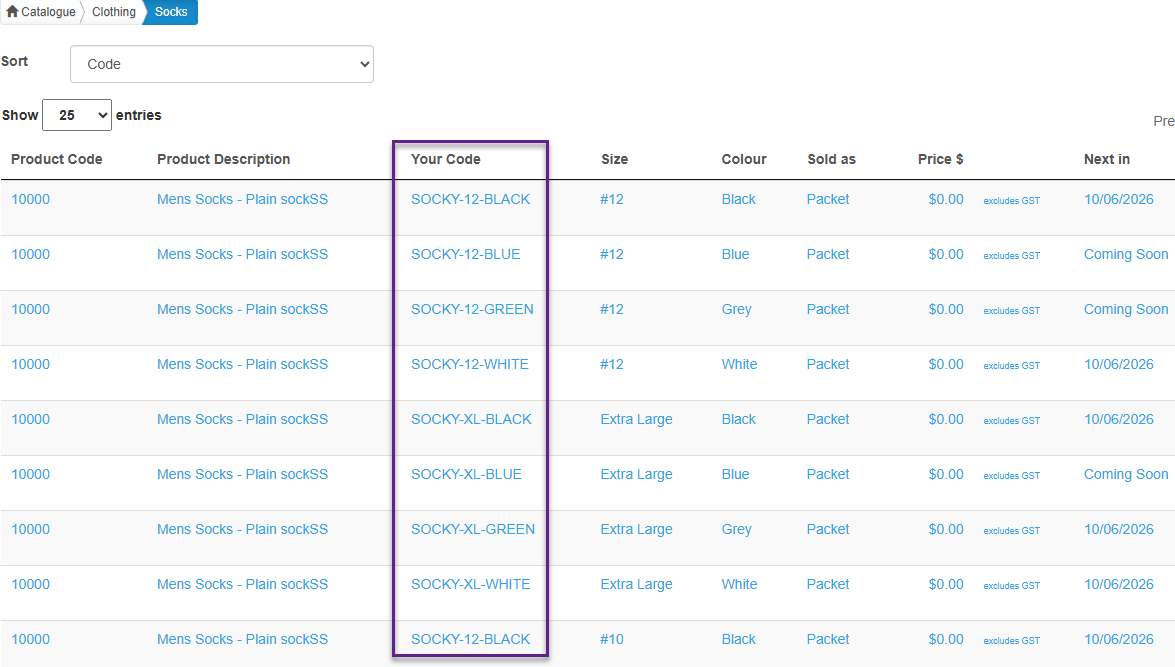
Customer Product Identifier – a new option has been added to E-commerce Options that lets you include your customer’s own product code identifier in the catalogue, plus search on customer product ID has been added. The Customer Product ID is entered in Customer-Product Details or via the upload.
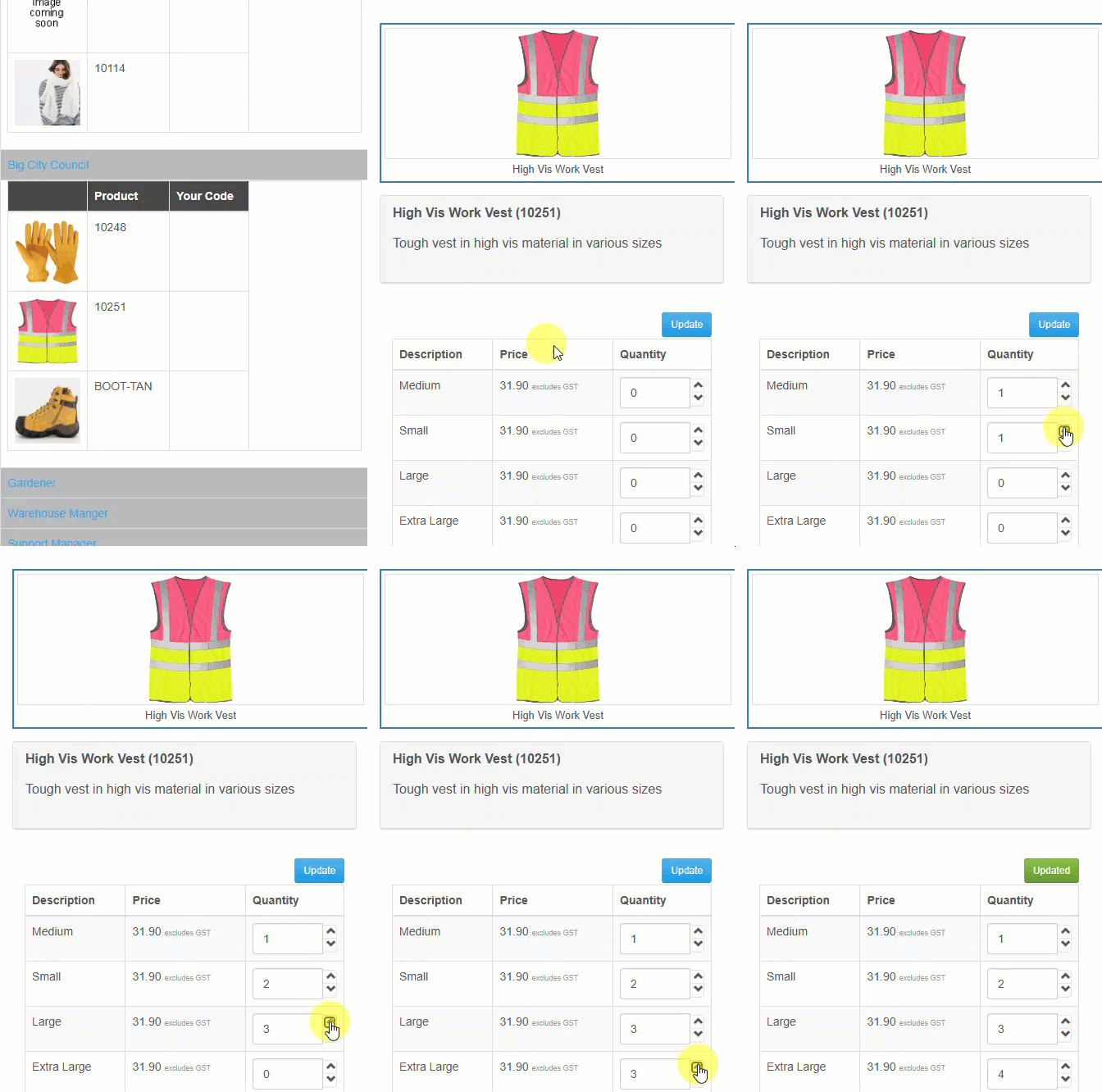
Catalogue View ‘Quantity Grid Ordering’ – an alternate product ordering page has been created for customers ordering multiple sizes of the same product/colour combination. e.g. order shirt/blue, 12 small, 10 medium, 5 large, 2 extra-large. To try this out, set the Customer Details ‘Catalogue View’ field to ‘Detailed with Size Ordering’.
Employee Platform (B2E) – more features and improvements have been made to the employee portal
- the employer can log in to the B2B portal and using the ‘User Profiles’ option, change employee details including the employee role
- the employer can log in to the B2B portal and enter an order on behalf of an employee, by choosing the employee as a contact. The order ‘consumer contact’ is set to the employee details.
- employee can no longer change their own role after registration
- there are now various levels (tiers) of allowances and a choice of action once the employee enters an order over their allowance:
- Tier 1 – all employees have the same allowance. Set this allowance for the customer.
- Tier 2 – allowance per role. Set this for the customer against each available role.
- Tier 3 – allowance qty per product. Set this for the customer-role-product.
- Tier 4 – no allowance = no limit on employee spend
- Over allowance action 1 – allow order and employer pays excess (order goes on account)
- Over allowance action 2 – place order on draft for employer approval
- Over allowance action 3 – order must be under the allowance
- Over allowance action 4 – employee pays the amount over the allowance
Version 10 updates v1.2032
Sales Manager Role
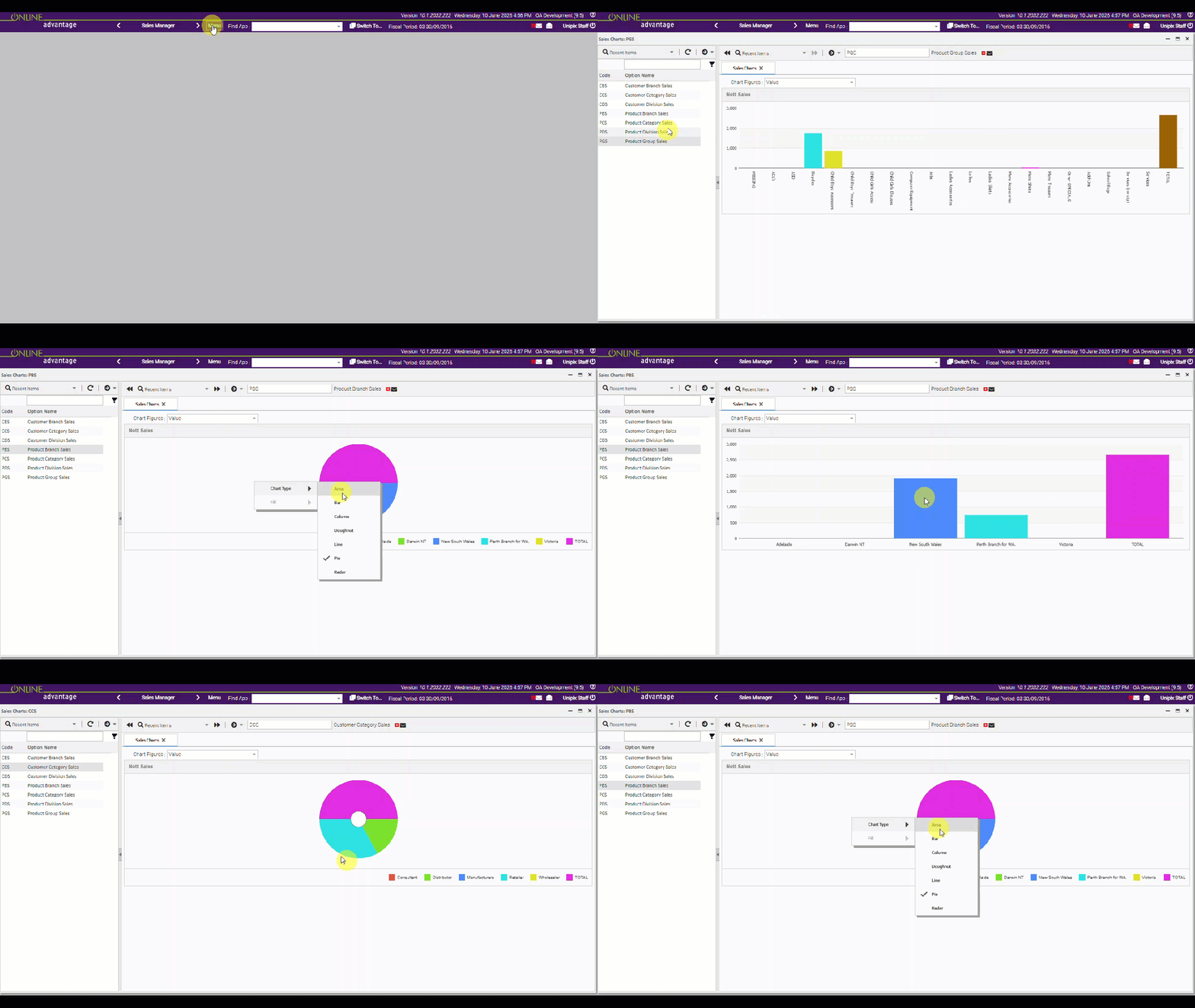
Sales Charts – in our 1st foray into charting, we’ve added some sales charts onto the Sales Manager role. We’re expecting to be enhancing the charting capabilities in v10 and continuing to publish many new charting functions in future releases, so this is just the beginning!
Pricing Role
Supplier Price vs Sell Price report – a new pricing report which compares supplier price to selling price has been added to the role. The report highlights items that are not within expected margin/markup. This report is in the ‘Pricing’ role on the ‘Selling Prices’ panel. Best output format choice is ‘formatted excel’.
Inventory Role
Stock Transaction Reasons – a new ‘update usage’ flag is now added to the Stock Reasons so the usage flag can be defaulted in Stock Issue transactions.
All Roles
Searching – we’ve enhanced case insensitive searches and improved overall search performance
web api – added new facility to transform incoming files to required format e.g. from cXML to XML
web api – developed a new endpoint that stores a file (e.g. PDF, TXT, Doc, Excel etc.) to the OA document library and links the file to a particular database table and entry e.g. a Sales Order
Chief Financial Officer
Chart of Account maintenance – this maintenance app is now available via the Chief Financial Officer role in the Chart of Accounts panel
Manufacturing Role
Manufacturing Other Charges – added a new option to get the value of the charge from the replacement cost of the product defined on the manufacturing specification charge line item to allow for more dynamic costing on specification Other Charges
Warehouse Role
warehouse picking – the picking app for small devices has been changed to confirm delete of tracking lines and to remind the user to check packing notes before invoicing
e-Commerce Administrator Role
e-Commerce employee entitlements – added maintenance functionality to cover employee allowances and over allowance action per customer (web portal)